Markdown is great for encoding test snapshots
TL;DR Markdown is a nice wrapper serialization format for snapshots tests.
If you are writing any kind of parser, compiler, codegen tool, you probably have (or should have!) snapshot tests. Snapshot tests run your transformation on a given input and then check in the results as a file in your project. When the test case is introduced the result can be manually inspected and as the transformation code changes, change to the output will be visible in the snapshot and can either be corrected or explicitly inspected/accepted in code review.
Since the value of a snapshot test is that it enables inspection of the result of your transformation, the more we can do to make the snapshot intelligible during development (in the editor) and during code review (in the pull request view) the better!
Markdown turns out to be an excellent wrapper serialization format for snapshots because it lets you bundle many output artifacts together into a single file, providing a way to contextualize each output, all while preserving syntax highlighting for each output type.
Lets look at each of these benefits in more detail.
Multiple outputs #
Many transformations produce multiple outputs. It could be that the transform produces multiple files types or the tool might produce errors, warnings or suggested edits.
With markdown you can break each output into its own code block. If the output is a file and the location of that file is important, you can include that filename as part of the code fence:
```graphql title="someFile.graphql"
type Foo {
  bar: String
}
```

```graphql title="anotherFile.graphql"
type Bar {
  baz: String
}
```
Adding context #
Markdown provides an intuitive way to provide human readable context to each of these different output code blocks. Just provide a heading or explanatory paragraph text:
## Errors

These are errors reported by the tool:

```
[WARN] Unexpected `(` at line 3 column 6. Expected `;`
```
Avoiding accidental interpretation #
Wrapping code snapshots in markdown generally prevents tools like linters, auto formatters and type chers from accidentally running on the output of your tests.
Syntax highlighting #
The single biggest win of using markdown as a wrapper format is that you get all of the above benefits and you still get syntax highlighting for all the different types of output. Note that you get this syntax highlighting both in your editor and in code review.
GitHub and VSCode also offer ways to view markdown files as rich documents instead of just text. This provides a literate way to read a single snapshot file to understand its contents. Some examples can be seen below.
Production examples #
I’ve employed this technique in an internal work project but also in a few open source personal projects. Here are some examples:
Fixable errors #
Here is a Grats snapshot which reports an error and provides a “code action” to fix it. It shows the error frame as you would see in the terminal, the diff it would apply to fix the issue as well as the resulting “fixed” code.
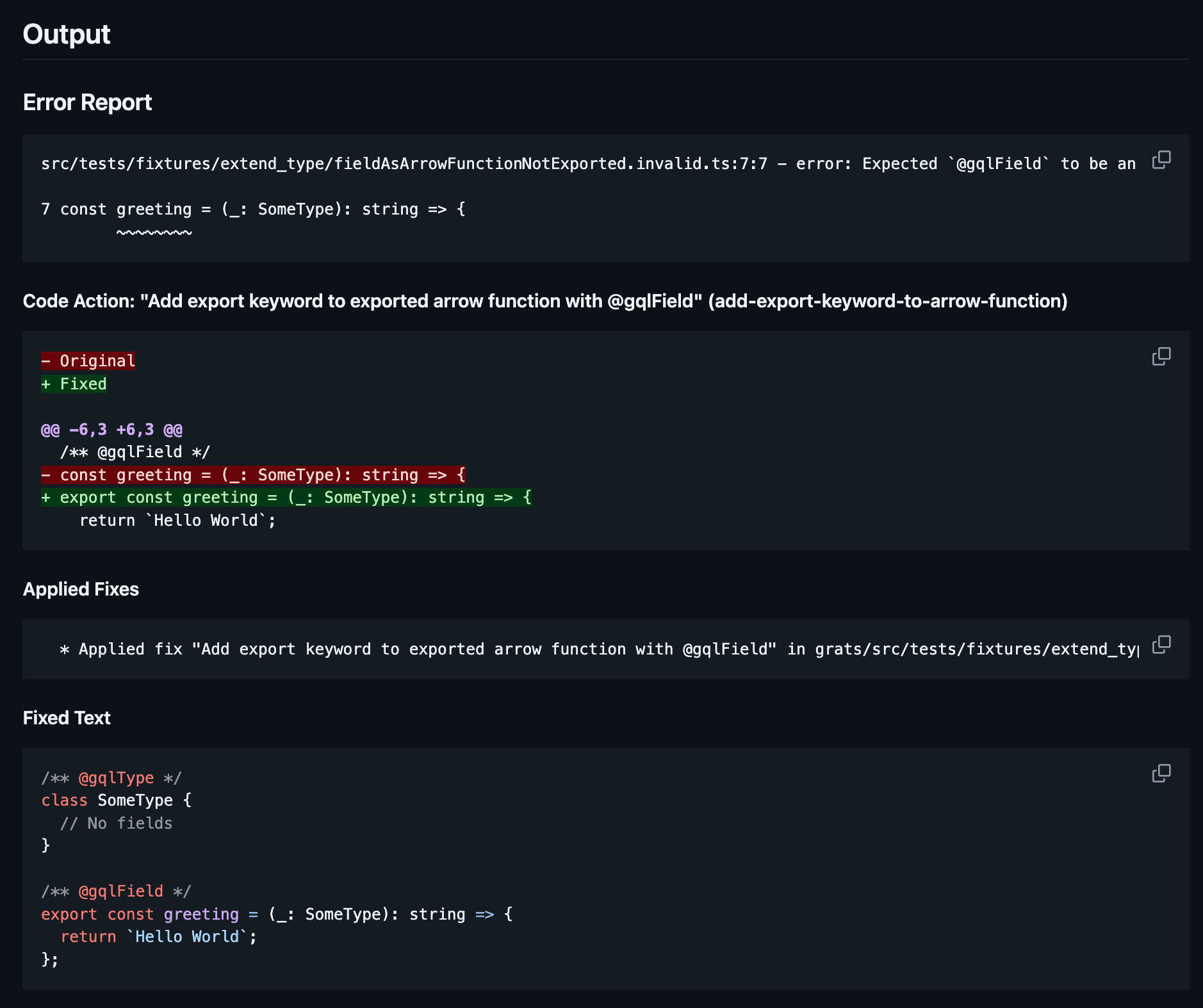
Note how GitHub provides very nice syntax highlighting for the edit when expressed in”diff” format.
Multiple output files #
Here is a Grats snapshot which compiles without error. It generates both a .ts and .graphql file:
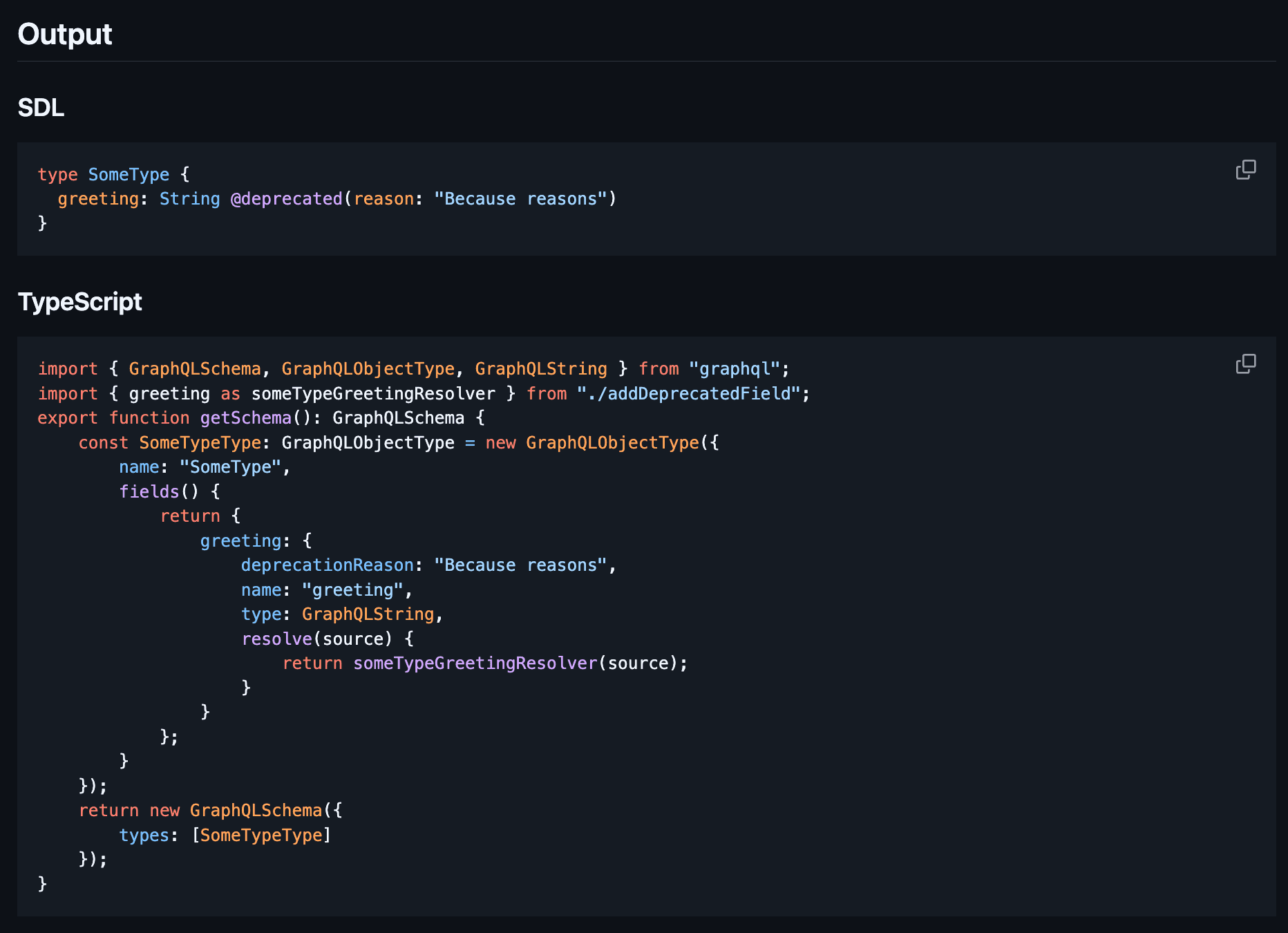
Multiple outputs with implementation details included #
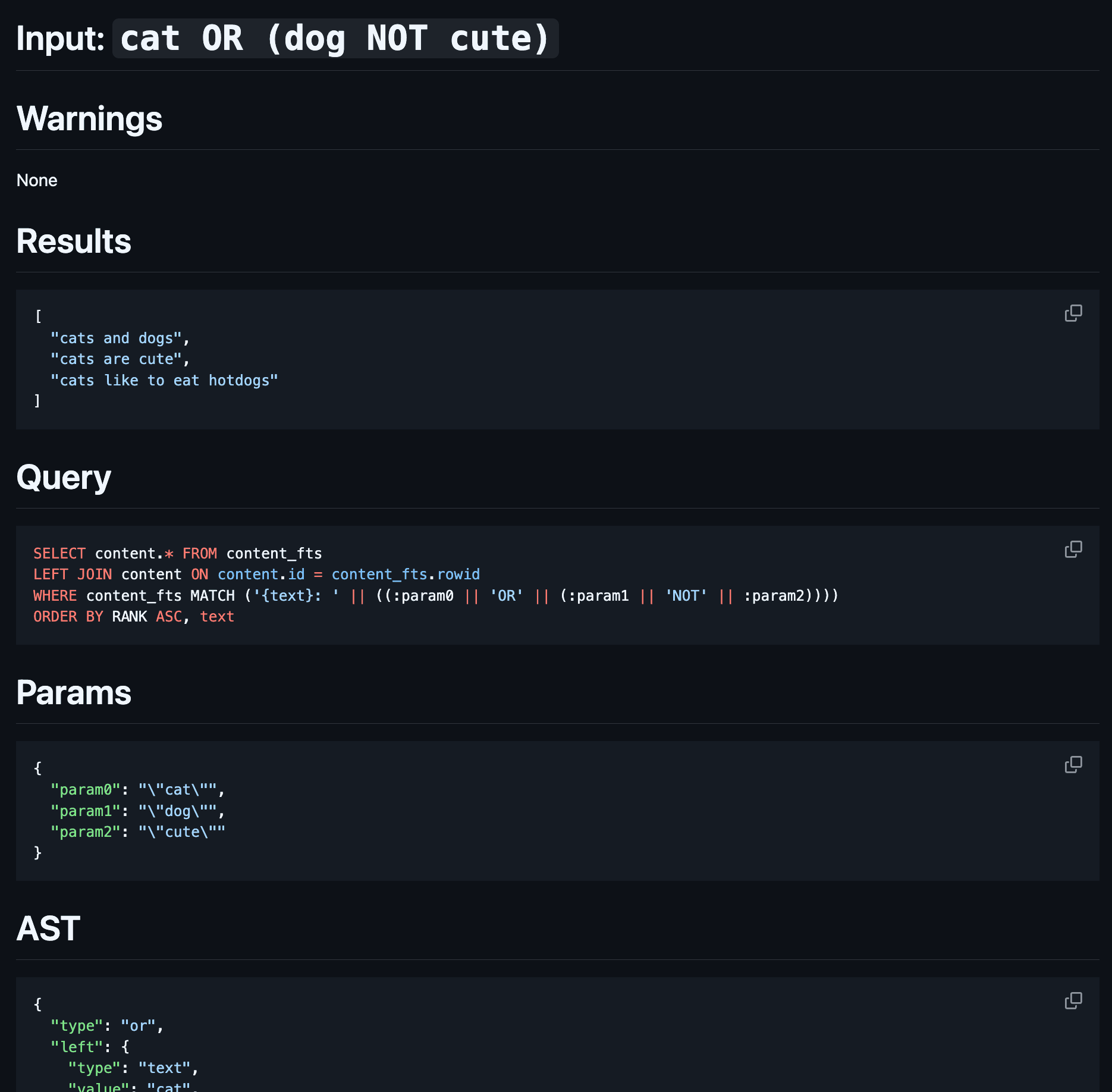
Here is a search query language (DSL) I built for my personal site. These tests capture any warnings produced, the result of the query run against an example data set, and the generated SQLite query + params. Finally, it shows its internal AST (truncated in the screenshot below) which is a bit noisy, but can help when debugging unexpected behavior.
Conclusion #
I’ve found the approach of leaning heavily into multi-output snapshot tests for language tools quite successful. It allows you to get a surprising amount of value out of each test case. Serializing these snapshots as Markdown results in output which is a joy to read. I’d heartily recommend it!